

iOS side project
MayFit Challenge Dashboard
A friendly dashboard and leaderboard my friends and I used for our May fitness challenge--pulling calories, steps, and heart rate from Apple Watch, syncing with CloudKit, and keeping everyone motivated.
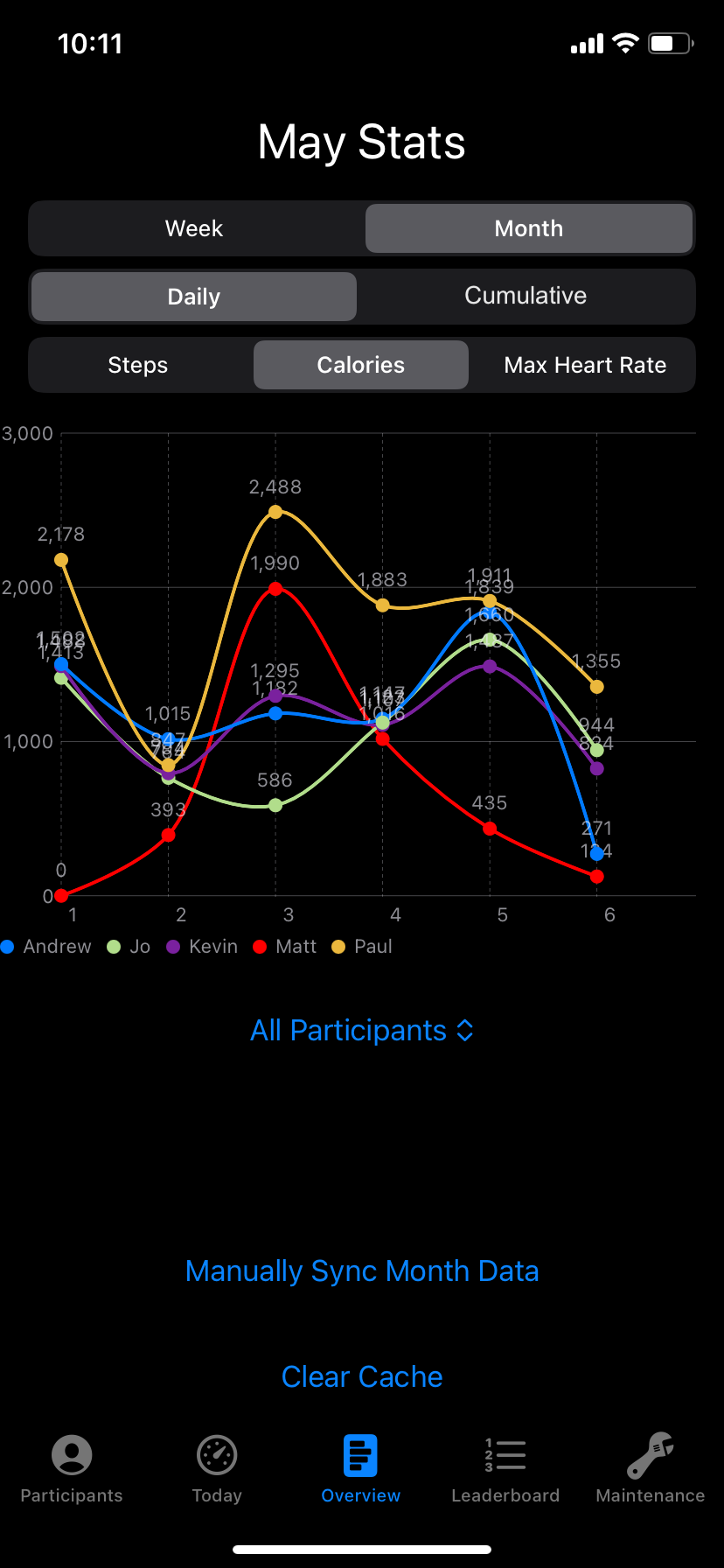
Overview
I built MayFit so my friends and I could stop manually taking screenshots and sharing them in a group chat followed by manual data entry into an excel sheet. We could have used a shared document, but I wanted to go a step further, making sharing our progress effortless and allowing me to integrate fun feature ideas. Everyone wears an Apple Watch, we compete on total calories burned for the month, and the app keeps score with simple charts and leaderboards.
You open the app on your phone, it reads your steps, calories, and heart rate from HealthKit, and pushes the day's metrics to CloudKit. No sign-in is required, because the profile keys off a unique device identifier, taking all of the friction out of keeping up with everyone's score.
Key Features
Monthly leaderboard
Stack-ranked calories for the entire month; highest total wins a prize.
Weekly highlights
Quick snapshot of who hit the biggest calorie, step, or heart-rate day this week.
Metric breakdowns
See steps, calories, and max heart rate per day, side by side with friends.
Color + name controls
Pick the color you show up as and tweak how your name appears on charts.
On-device profiles
Profiles are keyed to device ID--no account creation or sign-in needed.
Extra metrics
Metrics such as highest heart rate for a given day aren't shown in the Health app.
Architecture & Tech
Under the hood, MayFit Challenge is a small but intentionally structured Swift app with most of the heavy lifting done by CloudKit and HealthKit. Key components include:
- SwiftUI + CloudKit + HealthKit, prototyped in Xcode on my own devices.
- Automatic HealthKit ingestion pulling calories, steps, and heart rate as soon as the app opens.
- CloudKit sync that uploads a daily record per metric (date, value, metric type, device identifier) and keeps the leaderboard current.
- Profiles + data points as the two core entities: profiles store name, device ID, and color; data points store the metric values per day.
- Zero sign-in by linking a profile to the device ID instead of accounts or passwords.
Challenges and Obstacles
- Race conditions during initialization sometimes created multiple profiles for the same person--fixed by serializing setup and sacrificing a bit of speed for determinism.
- Normalizing dates to each user's local time zone so steps and calories near midnight didn't shift to the wrong day.
- In the current version users need the app open for syncing to occur, making some metrics for the current day lag behind; a paired watchOS app in development pushes updates every few minutes.
What I Learned
- Building a simple but reliable database flow that maintains integrity of data without keeping the user waiting.
- Handling sensitive health data on iOS: permission flows, normalization by time zone, and data privacy considerations.
- Shipping to friends through TestFlight and adding manual admin tools for early troubleshooting.